Game for InventorySystem
Controls
-
WASD – Movement
-
Left Mouse Button – Perform a 3-hit combo
-
Right Mouse Button – Perform a heavy attack
-
Left Shift – Sprint
-
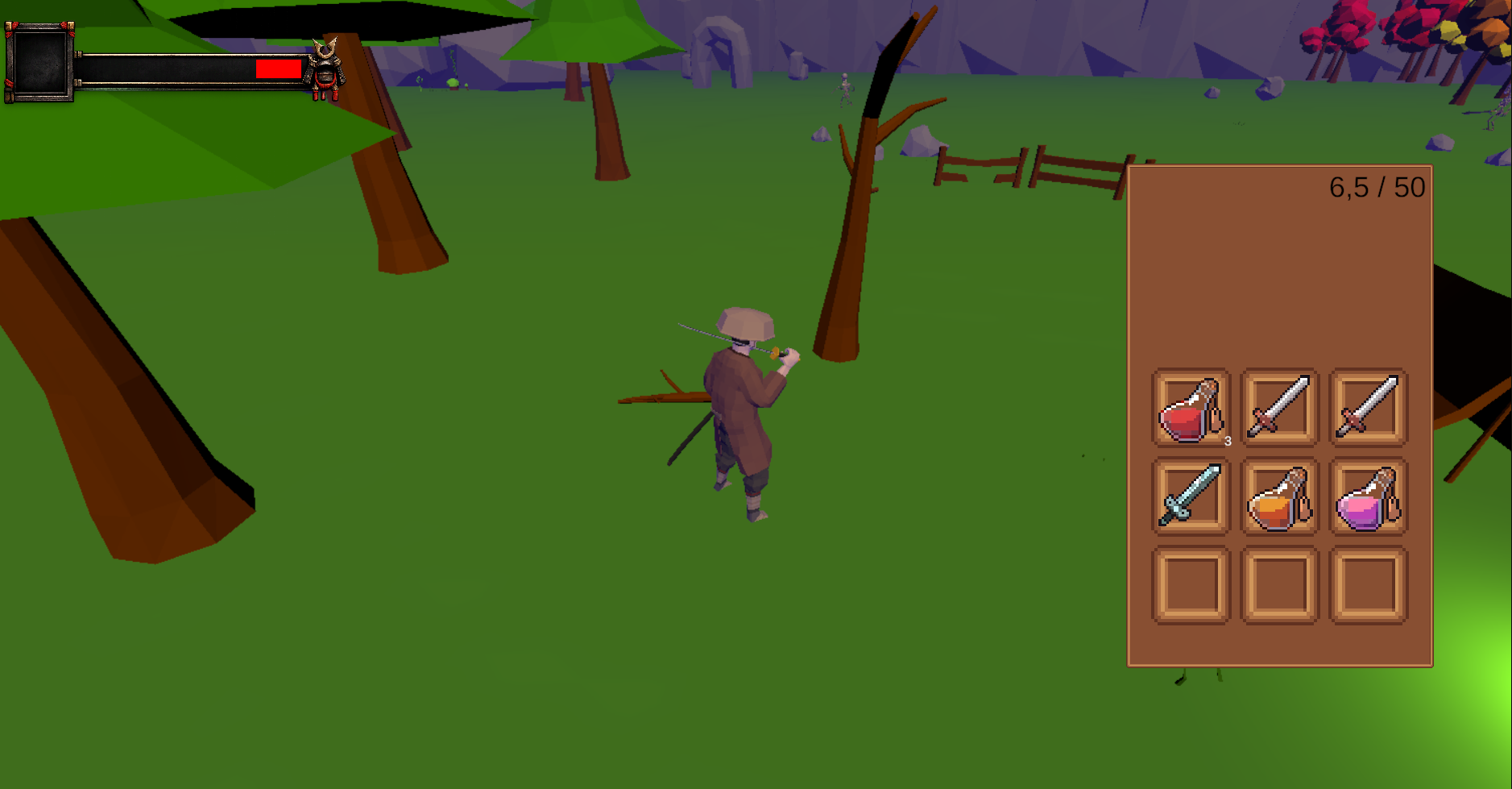
I – Open Inventory
Inventory System Demo (Unity)
This project demonstrates a modular and scalable inventory system built in Unity using C#.
The goal of the project is to design a clean, data-driven inventory architecture and integrate it with a small gameplay loop.
The system includes item stacking, weight limits, slot management, persistence, and gameplay interaction such as enemy drops and item pickup.
Core Features
Slot-Based Inventory
The inventory uses a fixed number of slots.
Each slot can contain an item stack or remain empty.
The system ensures that:
-
Items are placed into existing stacks when possible
-
New stacks are created when needed
-
Slot capacity is respected
Stackable Items
Items can be defined as stackable or non-stackable.
For stackable items:
-
The system merges stacks when possible
-
Maximum stack size is enforced
-
Partial transfers between slots are supported
Weight System
Each item has an associated weight.
The inventory calculates the current total weight and prevents adding items when the maximum weight limit is exceeded.
This ensures both slot capacity and weight capacity are respected.
Item Rules Abstraction
Item behavior is defined through an ItemRules resolver layer.
This keeps the inventory system independent from Unity-specific objects like ScriptableObjects.
The inventory only works with:
-
itemId -
stack rules
-
weight rules
This design keeps the domain logic decoupled from Unity data objects.
Item Database (ScriptableObjects)
Item definitions are stored using ScriptableObjects.
Each item contains:
-
unique ID
-
display name
-
icon
-
stack rules
-
weight value
An ItemDatabase provides lookup functionality so the gameplay and UI systems can resolve item information using the item ID.
Event-Driven UI Updates
The inventory exposes an OnChanged event.
Whenever the inventory state changes:
-
items added
-
items removed
-
slots swapped
-
items loaded
the UI automatically updates.
This avoids tight coupling between gameplay logic and UI.
Slot Movement and Swapping
The inventory supports moving items between slots.
The system handles several cases:
-
move to empty slot
-
merge stacks if items are identical
-
swap slots if items are different
-
enforce max stack limits
JSON Save / Load
Inventory state can be saved and loaded using JSON.
The save system stores:
-
item IDs
-
stack amounts
-
slot state
When loading, the system validates the data to ensure stack limits are respected.
This protects the inventory from corrupted or invalid data.
Gameplay Demo
A small gameplay loop was created to demonstrate the inventory system in action.
Enemy System
Enemies have a health component and can take damage.
When an enemy dies:
-
it triggers a drop event
-
a loot table determines what items will spawn
Loot System
Enemies use a DropTable to spawn items.
Each drop entry contains:
-
item ID
-
min/max amount
-
drop chance
This allows flexible and data-driven loot generation.
World Item Pickup
Dropped items appear as world objects.
When the player collides with the pickup:
-
the system attempts to add the item to the inventory
-
if the inventory is full or overweight, the remaining items stay in the world
Player Interaction
The player can:
-
attack enemies
-
kill enemies
-
collect dropped items
-
automatically store items in the inventory
Project Goal
The main goal of this project is to demonstrate:
-
clean architecture in Unity
-
modular gameplay systems
-
scalable inventory design
-
separation between gameplay logic and data
The system can be extended with features such as:
-
drag-and-drop inventory UI
-
equipment systems
-
crafting
-
network synchronization
Leave a comment
Log in with itch.io to leave a comment.